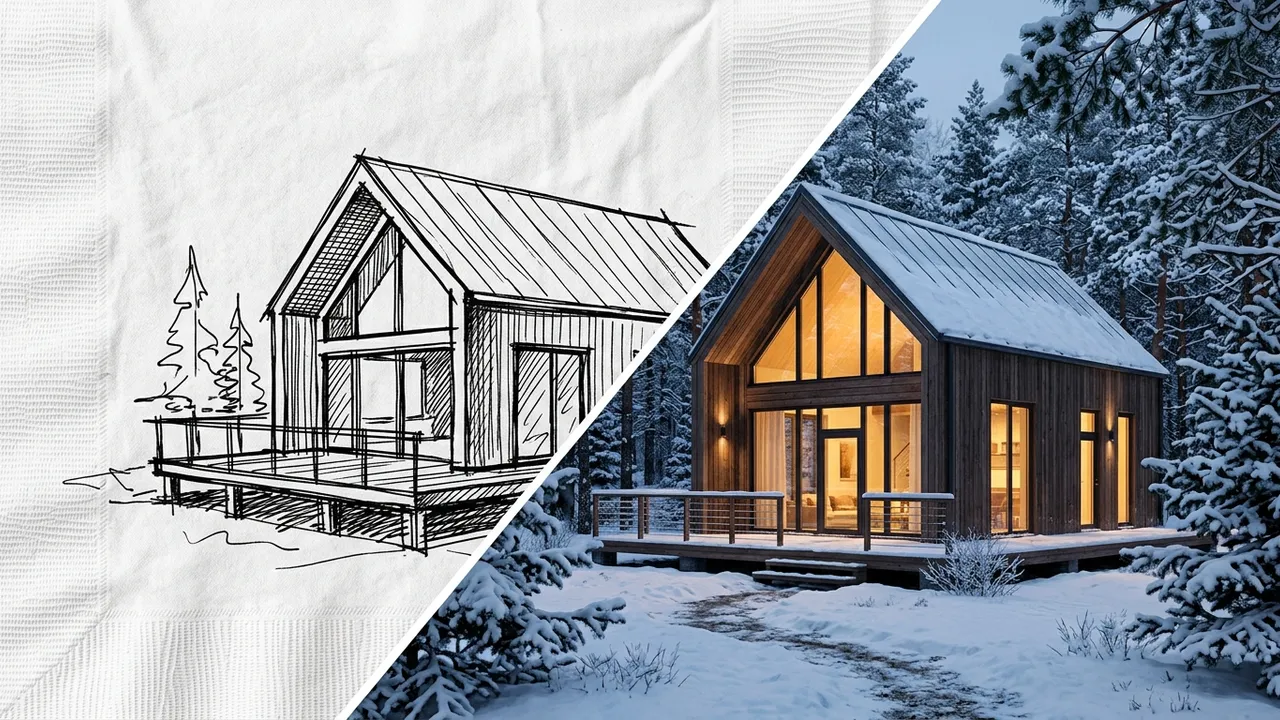
Generated with Style2AI - this is actual product output, not a stock photo.
Convert a hand or digital sketch into a photorealistic render in a secure, NDA-compliant workspace. Your concepts and IP stay private and are never used for training. Present polished imagery from the earliest design stage.
Technical specifications
| Supported inputs | PNG, JPG of the sketch |
|---|---|
| Output type | Photorealistic render |
| Output resolution | Up to 4K (Pro) / 8K (Studio) |
| Export formats | PDF, Excel takeoff (.xlsx), DXF, PNG |
| Turnaround | Seconds-minutes (vs days traditionally) |
| Data privacy | NDA-compliant - your IP stays yours - no model training |
How it works
- Photograph or scan your sketch.
- Upload it to the secure workspace and choose the render workflow.
- Describe materials, context, and lighting in the prompt.
- Generate and iterate until presentation-ready.
- Export at up to 4K (Pro) or 8K (Studio).
One workspace, the whole deliverable set
The render is step one. The same secure project also produces the documentation and presentation material around it:
Renders & visualization
Photorealistic stills up to 4K/8K, style and ambiance control, camera angles, upscaling, and inpaint editing. Learn more →
360° panoramas & video
Immersive 360° panoramas clients can look around, plus AI walkthrough video from stills or text. Learn more →
Elevations & CAD export
Styled elevations and true vector exports - DXF for AutoCAD, SVG, and PDF - from any render or photo. Learn more →
Schedules & specifications
18 professional list types: FF&E and finish schedules, CSI MasterFormat specs, material takeoffs, shopping lists, and cost estimates - exported to Excel, PDF, or Word. Learn more →
Mood & material boards
Presentation-ready mood boards, labeled material boards, and FF&E palettes in your project's visual language. Learn more →
Design canvas & diagrams
An infinite canvas with sheets, annotation, and AI tools, plus concept diagrams extracted from your imagery. Learn more →
Try this workflow in your secure, NDA-compliant workspace.
Your project IP stays yours. No model training on your data.
Open Secure WorkspaceFrequently asked questions
How detailed does my sketch need to be?
A clear line sketch works well; more detail gives the render more to follow.
How long does it take?
Seconds to minutes, versus days for a traditional rendered visualization.