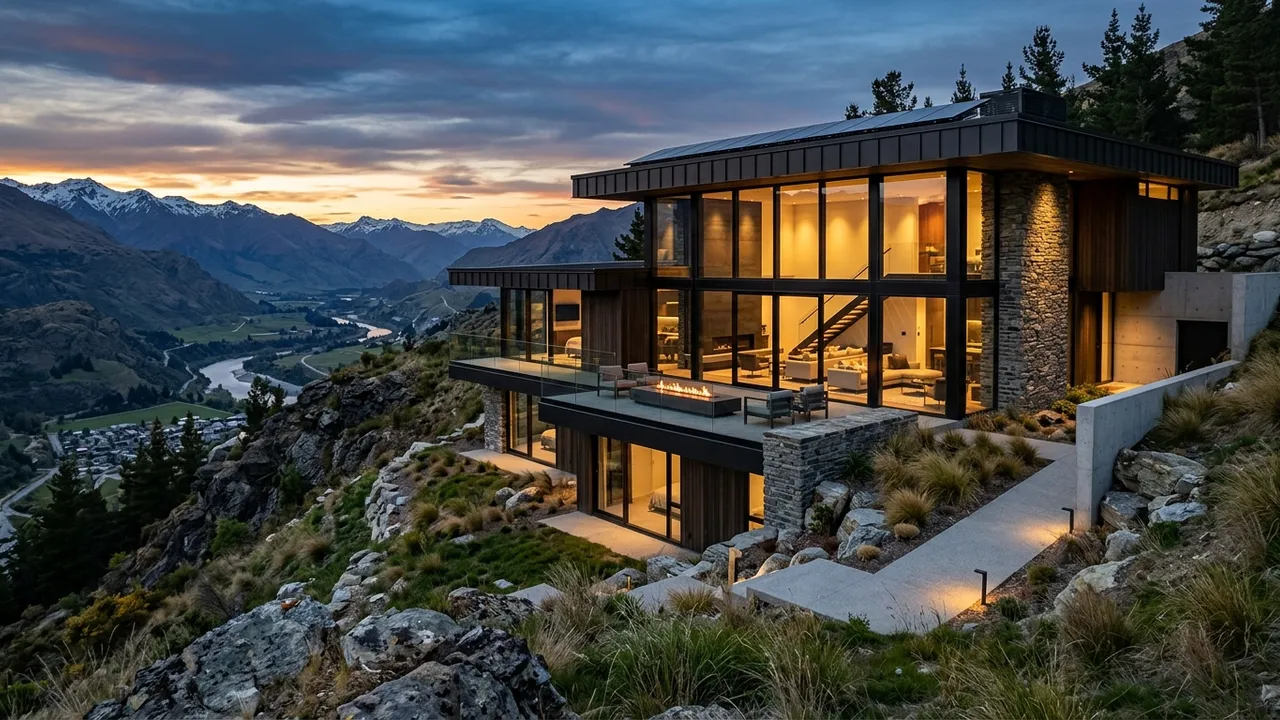
Generated with Style2AI - this is actual product output, not a stock photo.
Generate photorealistic renders directly from SketchUp viewport screenshots in a secure, NDA-compliant workspace. Your model and IP stay yours and are never used for training. Skip the render-engine setup and produce client-ready images in seconds.
Technical specifications
| Supported inputs | .skp screenshot / view export (PNG, JPG) |
|---|---|
| Output type | Photorealistic render |
| Output resolution | Up to 4K (Pro) / 8K (Studio) |
| Export formats | PDF, Excel takeoff (.xlsx), DXF, PNG |
| Turnaround | Seconds-minutes (vs days traditionally) |
| Data privacy | NDA-compliant - your IP stays yours - no model training |
How it works
- Take a screenshot of your SketchUp view.
- Upload it to your secure workspace and select the render workflow.
- Describe materials, lighting, and context in the prompt.
- Generate and iterate until the image is client-ready.
- Export at up to 4K (Pro) or 8K (Studio).
One workspace, the whole deliverable set
The render is step one. The same secure project also produces the documentation and presentation material around it:
Renders & visualization
Photorealistic stills up to 4K/8K, style and ambiance control, camera angles, upscaling, and inpaint editing. Learn more →
360° panoramas & video
Immersive 360° panoramas clients can look around, plus AI walkthrough video from stills or text. Learn more →
Elevations & CAD export
Styled elevations and true vector exports - DXF for AutoCAD, SVG, and PDF - from any render or photo. Learn more →
Schedules & specifications
18 professional list types: FF&E and finish schedules, CSI MasterFormat specs, material takeoffs, shopping lists, and cost estimates - exported to Excel, PDF, or Word. Learn more →
Mood & material boards
Presentation-ready mood boards, labeled material boards, and FF&E palettes in your project's visual language. Learn more →
Design canvas & diagrams
An infinite canvas with sheets, annotation, and AI tools, plus concept diagrams extracted from your imagery. Learn more →
Try this workflow in your secure, NDA-compliant workspace.
Your project IP stays yours. No model training on your data.
Open Secure WorkspaceFrequently asked questions
Do I need a render plugin?
No. You render from a screenshot - no V-Ray, Enscape, or GPU setup required.
How fast is a render?
Seconds to minutes, versus hours of traditional render-engine setup and processing.