Style2AI vs Midjourney for Architecture: Different Tools, Different Jobs
Midjourney is a phenomenal image generator — and architects keep getting burned trying to make it do production work. An honest comparison of where each tool actually belongs in an AEC workflow.
Let us start with the part most comparison posts will not say: Midjourney is a genuinely great product. For pure imaginative range — generating a building that does not exist, in a style nobody commissioned, for a mood board or a competition provocation — it is arguably the best image generator there is.
So why do we keep hearing from architects who tried to run real projects through it and gave up?
Because generating *an* image and visualizing *your* design are different jobs. They look similar from a distance. They are not.
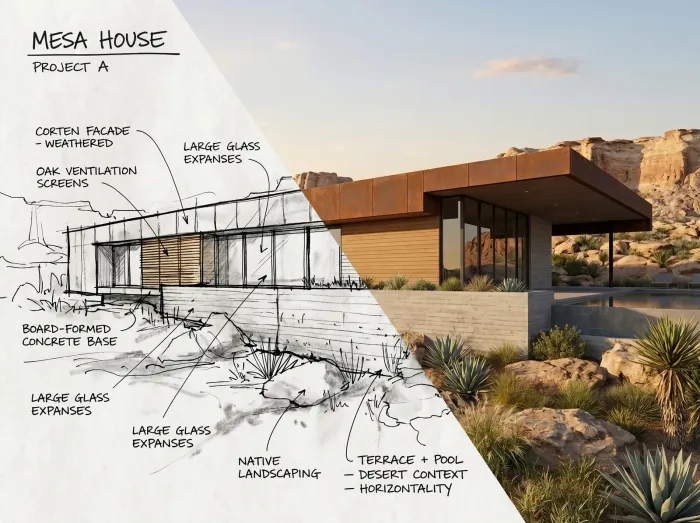
The job Midjourney was built for
Midjourney optimizes for aesthetic surprise. You type words, it imagines. There is no mechanism for handing it *your* floor plan, *your* massing, *your* elevation and saying: render exactly this, change only the materials.
You can feed it reference images, and skilled users get impressive results. But the model fundamentally wants to create, not to obey. For an artist that is the entire appeal. For an architect with a client-approved design, it is the dealbreaker — every generation is a new building that resembles yours.
The job we built Style2AI for
Style2AI starts from the opposite premise: the design already exists, and it is yours. A sketch, a SketchUp massing, a Revit view, a photo of the site. The platform's job is to keep your geometry — openings, structure, proportions, layout — and iterate everything else: materials, lighting, season, mood.
That premise changes what the tool is for:
- Twenty facade options that are all the same building.
- A client meeting where the render matches the drawings you are about to issue.
- Iteration that converges on a decision instead of wandering through variations.
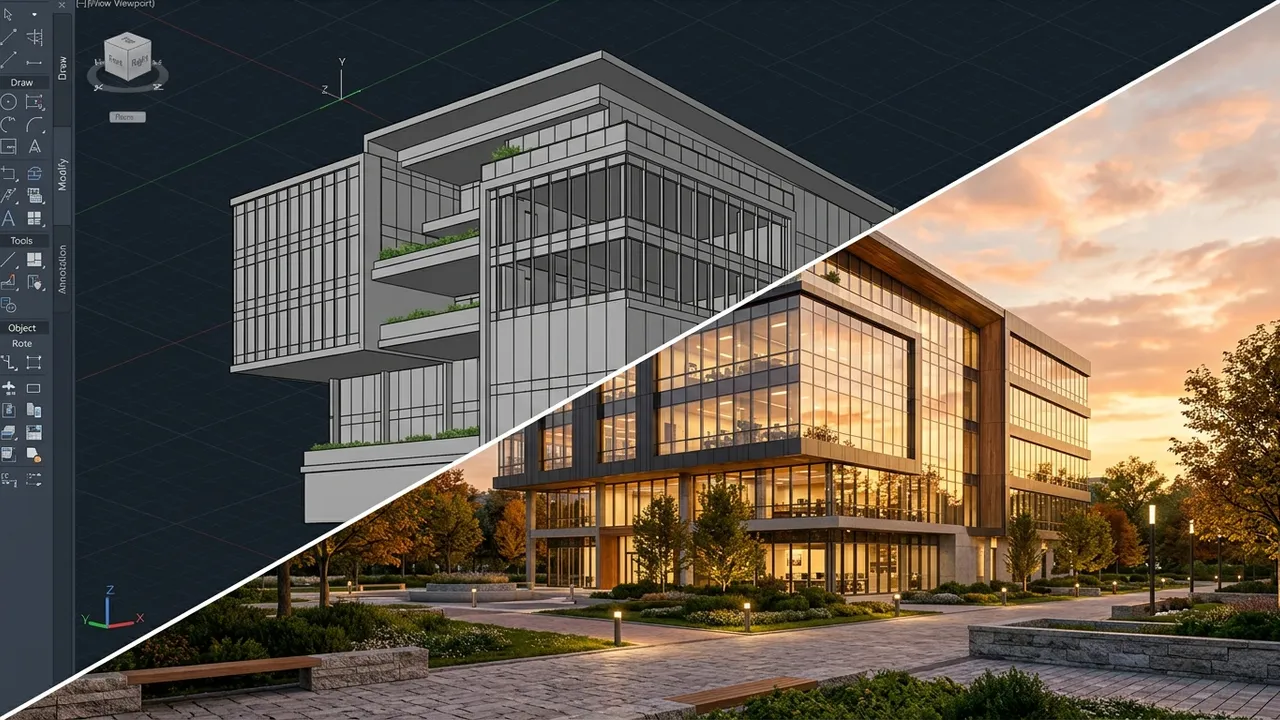
The part nobody talks about: what happens after the image
Here is the deeper difference. For Midjourney, the image is the end of the workflow. For an architecture practice, the image is the start of one: it has to become elevations, boards, schedules, and a package a client signs off on.
That after-the-image work is most of what Style2AI is:
| Midjourney | Style2AI |
|---|
| Imaginative ideation | Exceptional | Good |
| Render *your* specific design | Workarounds at best | The core feature |
| Iterate one design's materials/lighting | No reliable mechanism | Yes — geometry stays fixed |
| Elevations to DXF / SVG / PDF | No | Yes |
| FF&E and finish schedules to Excel | No | Yes — 18 list types |
| Mood and material boards | Manual, outside the tool | Generated in-project |
| 360 panoramas and walkthrough video | No | Yes |
| Client confidentiality posture | Images public by default on standard plans | Private workspace, zero training on your data |
That last row deserves a plain sentence: on Midjourney's standard plans, your generations are visible to other users by default. If the input was a client's unbuilt project under NDA, that is not a small detail. Style2AI was built for NDA work from day one — your uploads are private and never train any model.
The prompt-skill myth
There is a popular idea that the gap between tools can be closed with prompting skill — that if you just learn the right incantations, a general image model becomes an architecture tool. Having watched a lot of architects try, here is our observation: the hours spent reverse-engineering prompts to *trick* a model into respecting your design are hours spent not designing. And the result is fragile — the trick that worked on Tuesday produces something different on Thursday, because the model was never actually constrained, just coaxed.
Constraint has to live in the architecture of the tool, not in the cleverness of the user. When geometry preservation is the product's core mechanic, the prompt goes back to being what it should be: a sentence about materials and light, written in ten seconds, by someone thinking about the design instead of the software.
So which one should you use?
Honestly? Possibly both.
If you are at the *what could this even be* stage — competition energy, formal experiments, reference hunting — Midjourney is a joy, and we would be lying if we said otherwise.
The moment a design becomes the design — when there is a client, a site, and a drawing set forming — you need the render to be evidence, not fiction. That is the lane we live in: sketch to render, Revit to render, and the documentation that follows.
The two-minute test: take a project you actually drew, run it through Style2AI, and count the windows in the output. That single habit — counting windows — tells you everything about whether an AI tool was built for artists or for architects.
*All images in this post are Style2AI output.*
← Back to the Style2AI Newsroom