From Site Plan to Client-Ready Landscape Render
Landscape architects have always presented colored plans and asked clients to imagine the rest. Here is the workflow that turns a site plan or sketch into a photorealistic landscape render — planting, hardscape, water, and season — in minutes.
Landscape architecture has a presentation problem that architects never had to deal with: the most important parts of the design are alive, seasonal, and three-dimensional, but the deliverable that gets approved is usually a flat, colored plan.
Clients nod at the plan. Then the project gets built, and they say *"oh — I didn't realize it would feel like this."* Sometimes that sentence is delight. Too often it is the start of a change order.
We built our landscape workflow to close that gap. Here is how it works, what it does well, and — honestly — where its edges are.
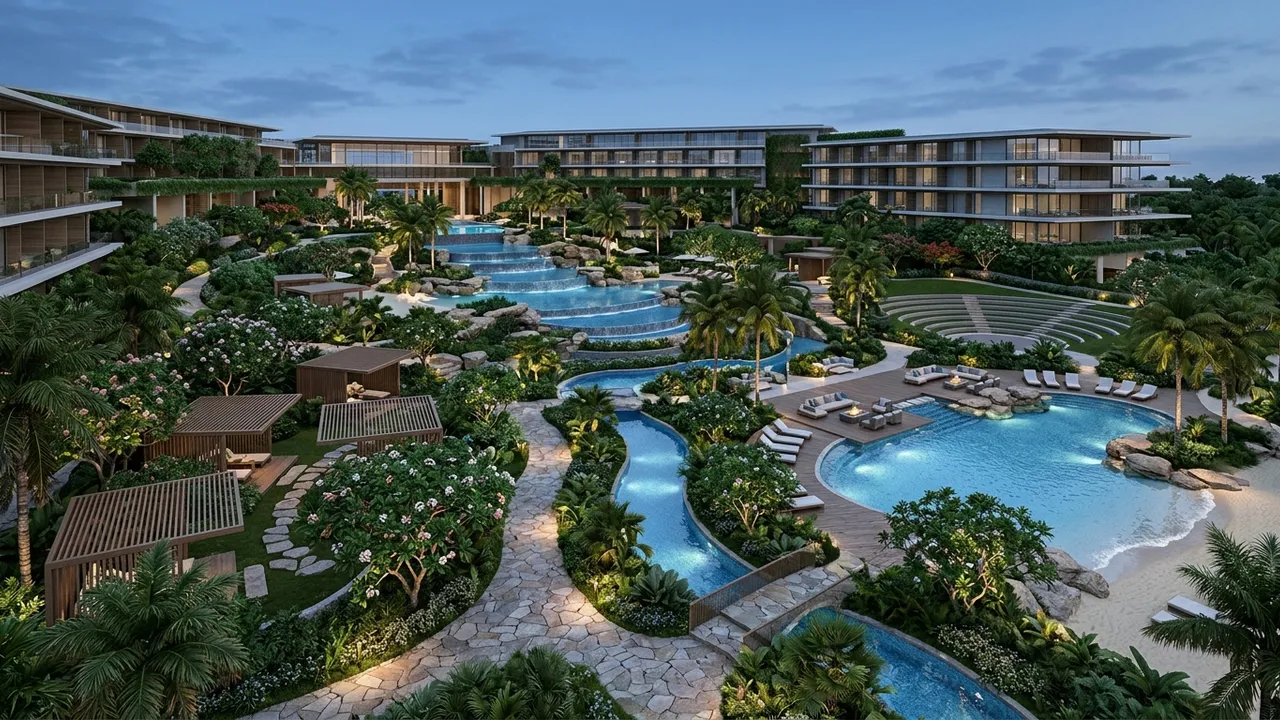
The core move: your plan stays the truth
Upload your site plan, a hand sketch, or a screenshot of your massing model. Describe the character in plain words — *"native prairie planting, decomposed granite paths, steel edging, late summer"* — and click Generate.
The thing that makes this useful for professionals rather than just fun: the layout you drew is treated as the truth. Paths stay where you drew them. The pool does not migrate. Bed lines and hardscape geometry carry through, and the prompt controls the character — planting palette, materials, season, light.
That distinction matters because a landscape render that rearranges your design is worse than no render at all. You would spend the client meeting explaining what to ignore.
One design, four seasons
The question every landscape client asks — sometimes out loud, sometimes not — is *"what does this look like in November?"*
Because the geometry is fixed and only the look iterates, you can answer it properly. Generate the same design in spring flush, high summer, fall color, and dormant winter. Four images, same layout, honest answer. For planting-heavy designs this is the single most persuasive thing you can put in front of a client, because it preempts the disappointment conversation before it happens.
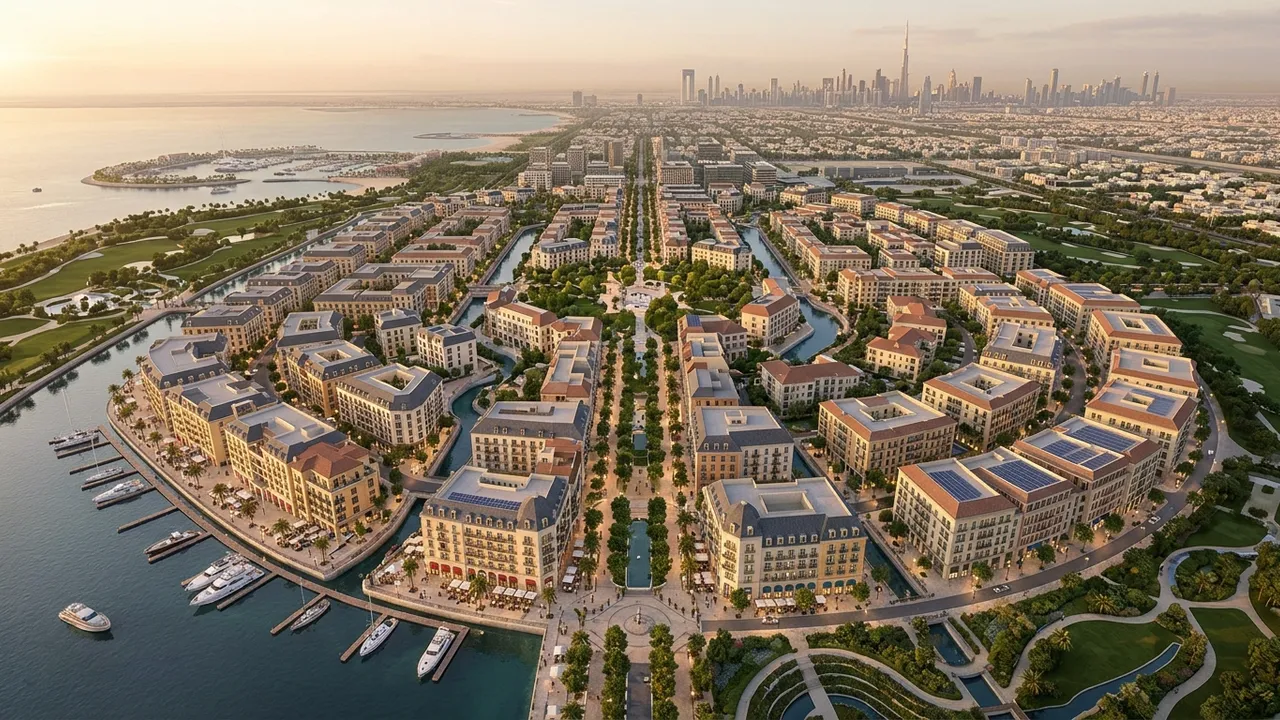
Aerial and eye-level from the same project
Plans approve projects; experiences sell them. We generate both:
- Masterplan aerials — the developer-meeting view. The whole site, reading as a place instead of a diagram.
- Eye-level vignettes — standing on the path, under the trees, at human height. This is where planting character, shade, and enclosure actually live.
A typical presentation set from one site plan: one hero aerial, two or three eye-level moments, one seasonal comparison strip. That is a deck section that used to take a visualization consultant and a couple of weeks.
Past the image: the boring documents, faster
The render is the persuasive half. The same project can also draft the documentation half:
| Deliverable | What you get | Export |
|---|
| Planting / material list | Draft list generated from the visual | Excel, PDF, Word |
| Mood board | Palette and reference board in your project's language | Image, PDF |
| Cost framing | Early-stage takeoff structure to align scope and budget | Excel, PDF |
Click Generate List on the Lists page, pick the list type, then Export as Excel and hand it to whoever owns procurement. It is a draft — your professional review is still the professional act — but it removes the transcription pass that nobody bills honestly for.
Where the edges are
We would rather tell you this than have you find it mid-deadline:
- This is a design-phase tool. It will not produce construction documentation or planting plans with botanical accuracy per specimen. It shows design intent beautifully; it does not replace your CD set.
- Very complex custom features (a specific sculptural fountain you designed) render as interpretations. Iterate the prompt, or treat the render as atmosphere and detail that element separately.
- Inference is bounded by your input. A vague plan produces a confident-looking guess. A clear plan produces your design.
The municipal meeting, specifically
A quiet use case that keeps coming up: planning boards and design review committees. These rooms are full of people who cannot read plans and will never admit it. A colored site plan invites them to imagine — and what a nervous neighbor imagines is always worse than what you designed.
An eye-level render of the buffer planting between the project and their street answers the actual question in their head. Several of our landscape users now bring a small set of these to every public meeting as standard practice: one aerial for orientation, two or three eye-level views aimed precisely at the anticipated objections. It does not guarantee approval. It does change the temperature of the room, because people stop defending themselves against their own imagination.
The maintenance conversation
One more honest use: the seasonal renders double as expectation management. A client who has seen the dormant-winter version of their prairie planting in the approval meeting does not call in February asking why everything died. That phone call has a cost — in time and in trust — and a four-image seasonal strip is the cheapest insurance against it we know of.
Try it on a live project
The honest test is the project on your desk right now: upload the site plan, prompt the planting character, and see whether the render says what your colored plan has been failing to say. Start free on Style2AI — no card required — or read how the broader workflow fits together for your discipline on the landscape design render page.
*Every image in this post was generated with Style2AI. That is the product working, not a stock library.*
← Back to the Style2AI Newsroom