
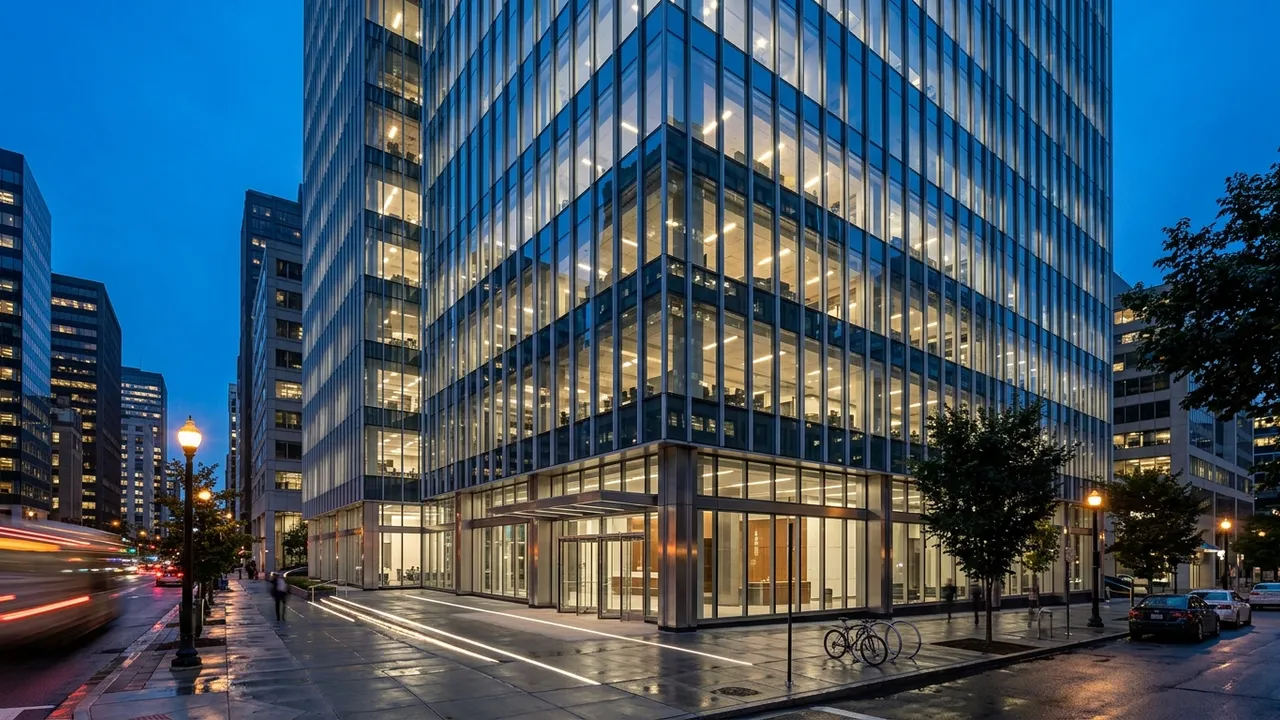
Generated with Style2AI - this is actual product output, not a stock photo.
Explore high-tech glass-and-steel facades with expressed structure from any sketch or model view in a secure, NDA-compliant workspace. Your IP stays yours and is never used for training. Test transparency, mullion rhythm, and reflections instantly.
Technical specifications
| Supported inputs | Sketch, 3D-model screenshot, or CAD export (PNG, JPG) |
|---|---|
| Output type | Glass and steel facade render |
| Output resolution | Up to 4K (Pro) / 8K (Studio) |
| Export formats | PDF, Excel takeoff (.xlsx), DXF, PNG |
| Turnaround | Seconds-minutes (vs days traditionally) |
| Data privacy | NDA-compliant - your IP stays yours - no model training |
How it works
- Upload your view to the secure workspace.
- Choose the glass-and-steel material workflow.
- Prompt glazing type, mullion grid, and structural expression.
- Generate variants to compare transparency and reflection.
- Export at up to 4K/8K.
One workspace, the whole deliverable set
The render is step one. The same secure project also produces the documentation and presentation material around it:
Renders & visualization
Photorealistic stills up to 4K/8K, style and ambiance control, camera angles, upscaling, and inpaint editing. Learn more →
360° panoramas & video
Immersive 360° panoramas clients can look around, plus AI walkthrough video from stills or text. Learn more →
Elevations & CAD export
Styled elevations and true vector exports - DXF for AutoCAD, SVG, and PDF - from any render or photo. Learn more →
Schedules & specifications
18 professional list types: FF&E and finish schedules, CSI MasterFormat specs, material takeoffs, shopping lists, and cost estimates - exported to Excel, PDF, or Word. Learn more →
Mood & material boards
Presentation-ready mood boards, labeled material boards, and FF&E palettes in your project's visual language. Learn more →
Design canvas & diagrams
An infinite canvas with sheets, annotation, and AI tools, plus concept diagrams extracted from your imagery. Learn more →
Try this workflow in your secure, NDA-compliant workspace.
Your project IP stays yours. No model training on your data.
Open Secure WorkspaceFrequently asked questions
Can I control reflections and transparency?
Yes. Prompt the glass type and context to study reflections and visual lightness.
Does it show the structural frame?
Yes - high-tech detailing with expressed steel can be emphasized in the prompt.